
Supermarket POS Software in Sharjah
OptaPOS helps Sharjah supermarkets keep evening queues moving and stock under control. Cashiers scan, weigh where configured and take split payments where supported; bottles, packs and cartons sell from one stock; deliveries come in from Excel with batch and expiry; and the owner sees the day’s sales summary on a phone.
- Built for supermarkets
- English & Arabic
- VAT-ready billing workflows
- Unlimited users per location
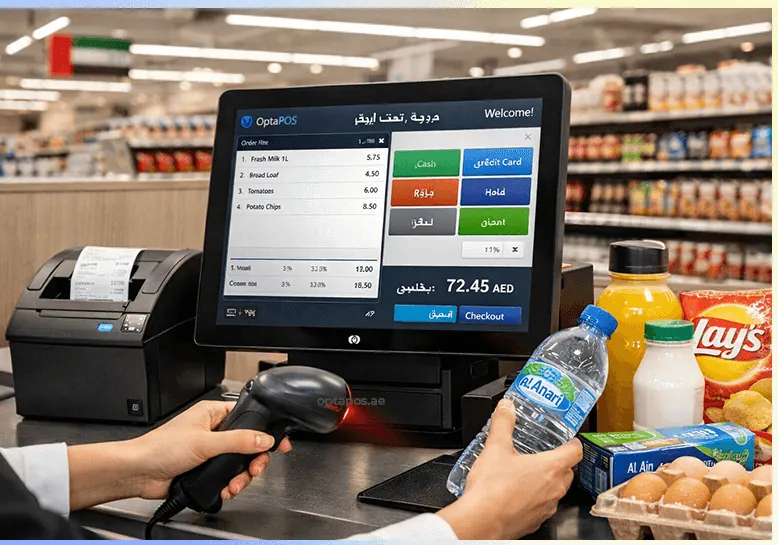
At a glance: OptaPOS for supermarkets in Sharjah
For a supermarket in Sharjah, OptaPOS covers checkout, multi-unit barcodes, receiving, batch and expiry, write-offs, reorder alerts and daily reports, in English and Arabic. Each physical store is licensed; counters, cashiers, customers, transactions and compatible devices inside it are unlimited. Setup is done online, with on-site visits scheduled according to the agreed scope.
- Business type: Supermarket · Supermarket POS in the UAE
- Location: Sharjah, United Arab Emirates · POS software in Sharjah
- Packages: Standard covers the core; Scheduled promotional prices on this page needs Advanced.
- Users and devices: Unlimited users, customers and transactions per licensed location, on compatible desktops, POS terminals, tablets and phones.
- Languages and billing: English and Arabic screens, bilingual receipts where supported, VAT-ready billing workflows.
- Pricing: By tailored quote, based mainly on the number of physical locations. Request a tailored quote
- Support: Sales and support 24x7 by phone, WhatsApp and email.
What slows a supermarket down
Queues after work
Families arrive in the evening with full trolleys, and a slow item search or a price check at one counter holds up the whole line.
A carton scanned as a single bottle
Water, juice and nappies are sold by piece, pack and carton. One wrong scan and both the bill and the stock count are off.
Deliveries typed line by line
A supplier invoice with a hundred lines takes a long time to key in, and receiving falls behind the shelves.
Expired stock found by customers
Dairy and packaged food expire on the shelf because nobody saw which batch was close to its date.
No clear picture of losses
Damaged and expired items are thrown away without a record, so the month’s margin looks wrong and nobody knows why.
A supermarket day on OptaPOS
- 1
Receive with Excel, batch and expiry
Import the supplier’s delivery from Excel instead of typing it, and record batch and expiry dates for lines that need them.
- 2
Set bottle, pack and carton
Give each unit its own barcode and price under the same product, so stock always counts in the base unit.
- 3
Check out quickly
Scan or search, use grid buttons for loose items such as bread, read weighed barcodes from the scale where configured, and take card, cash or split payments where supported.
- 4
Control losses
Review items near expiry, write off damaged or expired stock with a reason, and act on reorder alerts before staples run out.
- 5
Close the day
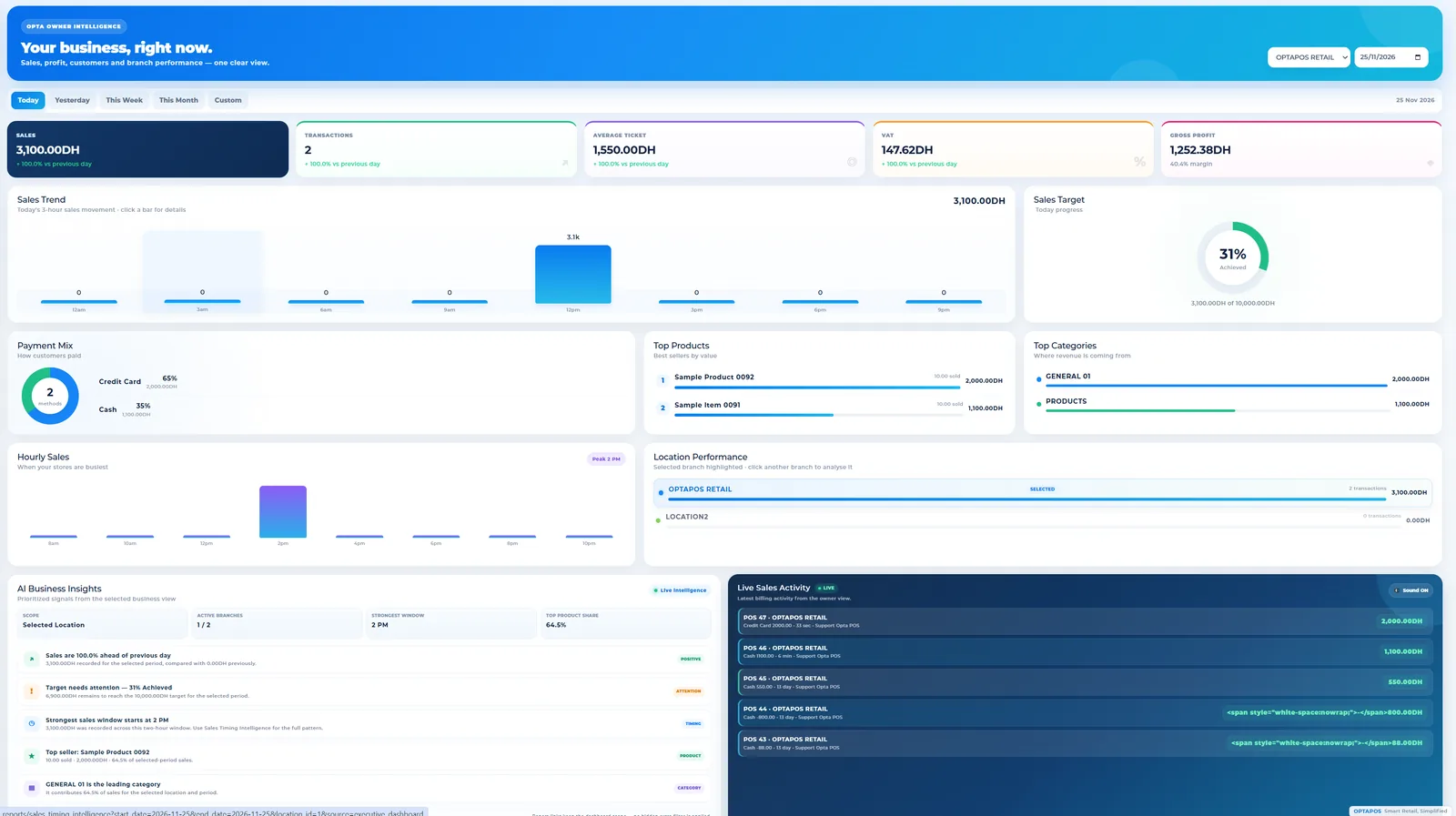
The sales summary shows totals by payment type and counter, and the owner can open it from a phone.
OptaPOS features for supermarkets in Sharjah
Only the features that matter for this business are shown. Each one is labelled with its package or option.
Fast product search and barcode scanning Standard
Cashiers find an item by barcode, name or code in a moment, which matters when the queue is long and a label is missing.
Touch grid and favourite-item buttons Standard
Put bread, loose vegetables or carrier bags on touch buttons so cashiers do not search for them on every basket.
Weighted barcode and scale workflows Configurable
Where configured, the cashier scans the label printed by the scale and the weight and price come through. We can supply scales we know well, such as Rongta or Aclas, or configure your own scale if it prints labels in a standard barcode format.
Multi-unit items (piece, box, carton) Standard
A bottle, a six-pack and a carton each have their own barcode and price, all drawing from the same stock.
Configurable payment types Standard
Set up the payment methods you accept, such as cash and card, so the day’s totals reconcile by method.
Bulk receiving through Excel Standard
Import a long supplier delivery from Excel instead of keying every line, then check it and post it to stock.
Batch and expiry tracking Standard
Record batch and expiry dates at receiving, and review what is close to its date before it reaches a customer.
Damage and wastage entry with reasons Standard
Write off damaged or expired items with a reason, so losses show up in reports instead of disappearing.
Reorder levels and low-stock alerts Standard
Set reorder levels per product and branch, and get alerts before rice, oil or water run short.
Scheduled promotional prices Advanced
In Advanced, schedule an offer price for a weekend or a month, and it starts and ends on its own.
Detailed sales-summary report Standard
A daily summary by payment type, counter and branch that the owner can check from a phone.
Supermarket retail in Sharjah
Sharjah supermarkets in residential areas such as Al Nahda, Al Taawun and Muwaileh see their busiest hours after work, when families do a weekly shop and buy rice, oil, water and nappies by the carton. Bottle, pack and carton barcodes and grid buttons for loose items keep those large baskets moving at the counter.
Many operators also run a branch in Dubai or Ajman. Each physical store is licensed separately, keeps its own stock and reorder levels, and reports in the same system, so the owner can compare branches without collecting figures from each one.
On a Thursday evening a family reaches the counter with a full trolley: a carton of water, a bag of tomatoes weighed and labelled at the scale, bread from the bakery shelf and a week of groceries. The cashier scans the carton barcode, scans the scale label, taps the bread button and takes part of the payment in cash and the rest by card. The yoghurt in the trolley was imported from the supplier’s Excel file that morning with its expiry date, so it already appears in the manager’s expiry review for the coming week.
An example workflow, not a customer case study.
Standard or Advanced for a Supermarket?
Standard includes Fast product search and barcode scanning, Touch grid and favourite-item buttons, Weighted barcode and scale workflows and Multi-unit items (piece, box, carton) and the rest of the core retail toolkit. Of the features on this page, Scheduled promotional prices is in Advanced, which includes every OptaPOS feature.
- Each additional physical location, in Sharjah or another emirate, is licensed separately.
- Users, customers, transactions and compatible devices are unlimited under each licensed location.
Recommended hardware for a Supermarket
- Touch POS terminal — An all-in-one touchscreen counter terminal for fast, button-driven billing. Ideal for busy counters and grid-button selling.
- Barcode scanner — Wired, wireless or hands-free 1D/2D scanners for fast checkout, receiving and stock counts.
- 80mm thermal receipt printer — Fast, quiet receipt printing with bilingual layouts where supported. Can trigger the cash drawer.
- Cash drawer — A secure drawer that opens automatically on cash sales through the receipt printer.
- Label-printing weighing scale — Weigh fresh items and print a weighted barcode that the till reads as item plus weight or price.
- Customer display — Shows items, totals and VAT to the customer during checkout for transparency.
Keep compatible devices you already own. We confirm compatibility in the demo and quote by model and quantity. POS hardware
One system for every Supermarket branch
Owners can check sales and stock from a phone, wherever they are. When you open a second branch, in Sharjah or in Dubai and Ajman, every licensed location runs on the same system.
- Central warehouse, branch transfers and stock by location
- Branch prices, receipt and tax settings, and reorder levels per location
- Employee permissions by location and shared customer profiles
- Location reports and combined reports for the whole business
Getting a Supermarket in Sharjah live
- 1
Understand your store
We look at your counters, departments, suppliers, scales and branches, then recommend a package. Advanced includes every feature; Standard is the lower-cost core.
- 2
Check hardware and scales
Scanners, receipt printers, cash drawers and scales. If you already own a scale, we check its label format; if you need one, we can supply a model we know well. We quote only what is missing.
- 3
Configure
Departments, units, barcodes, grid buttons, payment types, cashier roles, receipts and reorder levels.
- 4
Import products and stock
Your product list, units and opening stock from Excel, where included in the agreed scope.
- 5
Train cashiers and managers
Cashiers learn checkout and returns; managers learn receiving, expiry, write-offs and reports, in English or Arabic.
- 6
Go live with support
Go live with online or scheduled on-site support as quoted, then continue with your agreed support arrangement.
OptaPOS supports retail businesses across Sharjah with online and scheduled on-site implementation options based on the approved project scope. Sales and support are available 24x7.
Unlimited usage for your supermarkets
Under each licensed physical location, OptaPOS does not cap the everyday things that grow with a healthy business. Add cashiers, serve more customers and sell from more devices without a new bill each time.
Subscription charges are based primarily on physical locations. Adding another store, branch, outlet or warehouse is licensed separately; adding a user or a device under an existing licensed location is not. Device use is subject to permissions and supported workflows. How pricing works
Supermarkets in Sharjah: questions
How many counters can I run?
As many as the store needs. Counters, cashiers and compatible devices inside a licensed physical location are unlimited.
Will it read barcodes from my weighing scale?
Yes, where configured, as long as the scale prints labels in a standard barcode format; the weight and price come through with the scan. If you need scales, we can supply brands we know well, such as Rongta or Aclas. Most scales come with their own software for updating PLUs and labels, directly or from Excel.
Can I sell water by the bottle, pack and carton?
Yes. Each unit has its own barcode and price, and all of them draw from the same stock.
Can a customer pay part in cash and part by card?
Yes, split payments can be enabled where supported, and the sales summary shows totals by payment type.
Do I have to type every supplier delivery?
No. You can import a delivery from Excel, check it and post it to stock, including batch and expiry where needed.
Can I start with Standard and move to Advanced later?
Yes. Standard is the lower-cost option and covers checkout, units, receiving, expiry and reports. We usually recommend Advanced for supermarkets, because it includes every OptaPOS feature, including promotions, loyalty and scheduled offer prices. Upgrade terms are confirmed in your quote.
Which OptaPOS package suits a Supermarket in Sharjah?
Standard covers Fast product search and barcode scanning, Touch grid and favourite-item buttons, Weighted barcode and scale workflows and Multi-unit items (piece, box, carton). Choose Advanced if you need Scheduled promotional prices. Each physical location is licensed, and we confirm the right package in a written quote.
What hardware does a Supermarket in Sharjah need?
A typical set-up is touch pos terminal, barcode scanner, 80mm thermal receipt printer, cash drawer and label-printing weighing scale. We check what you already own during the demo and quote only what is missing.
Can I run supermarkets in Sharjah and other emirates on one system?
Yes. Branches in Sharjah, Dubai and Ajman or anywhere in the UAE can share products, customers and reports, with stock and prices controlled per location. Each physical location is licensed.
Do you offer on-site set-up in Sharjah?
OptaPOS supports retail businesses across Sharjah with online and scheduled on-site implementation options based on the approved project scope. Sales and support are available 24x7.
More for supermarkets and Sharjah retailers
Other retail businesses in Sharjah
Features, hardware and pricing
See OptaPOS set up for your Supermarket in Sharjah.
Book a live demo with products like yours, or request a written quote for your locations.