
Inventory management connected to every sale
Know what you have, where it is and when to reorder, with stock that updates the moment you sell, receive or transfer.
- Live stock with every transaction
- Reorder alerts before you run out
- Cycle counts without closing
In short
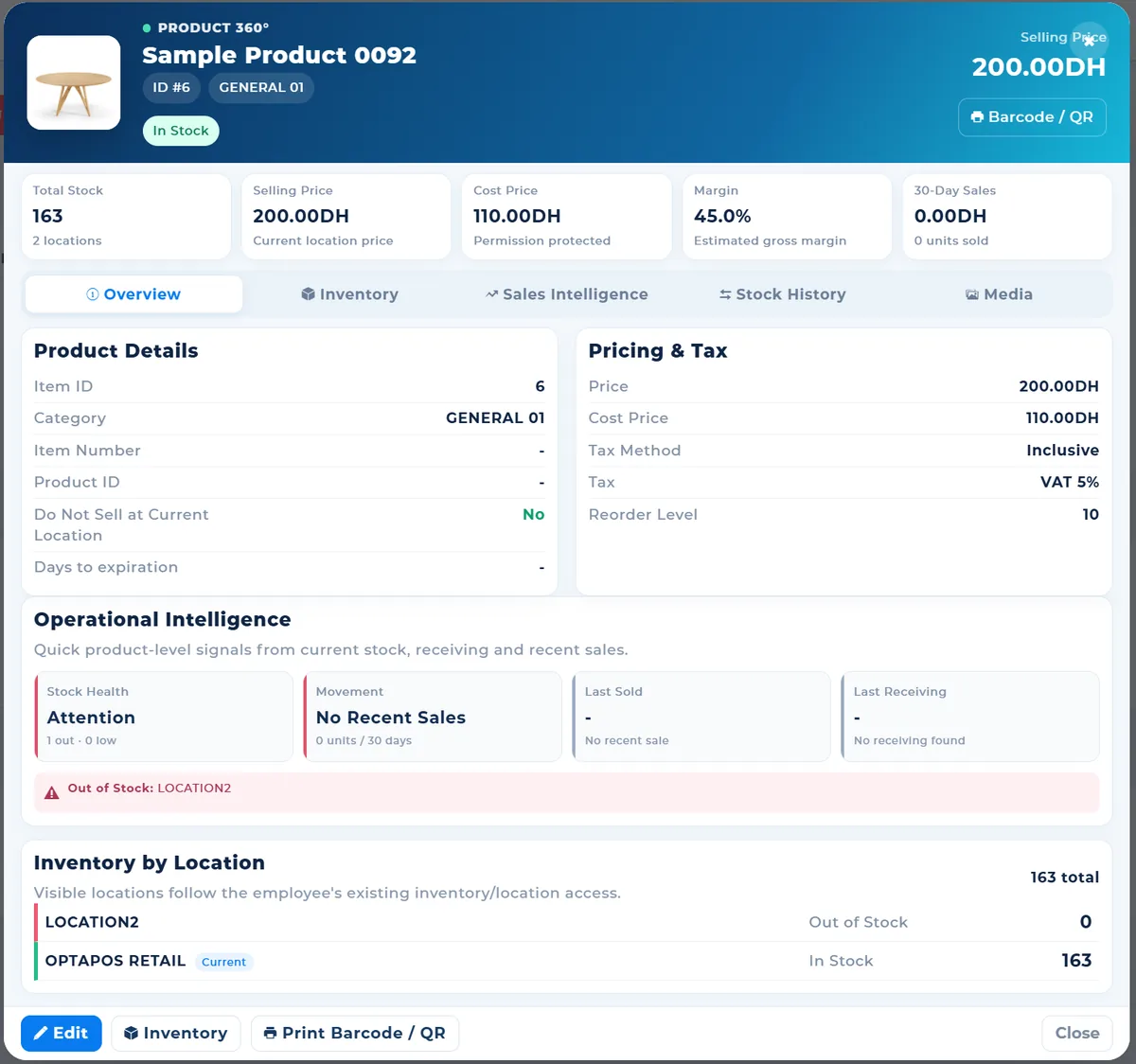
Inventory management keeps your stock records true. OptaPOS updates quantities with every sale, return, receipt, transfer and adjustment, alerts you at reorder levels, supports cycle counts without closing, records damaged and expired stock with reasons and shows each product’s stock across locations.
What you can do
Package labels show where each capability is included.
Location-wise stock visibility Standard
See how much of each item is available at each licensed location.
Reorder levels and low-stock alerts Standard
Set minimum stock levels per location and get low-stock popup alerts before shelves run empty.
Stock receiving (GRN) Standard
Receive supplier deliveries against purchase orders so stock and cost update immediately.
Stock transfers between locations Multi-location
Move stock from a central warehouse to branches or directly between branches with a recorded transfer.
Physical stock count and variance review Standard
Count stock on the shelf, compare it with the system quantity and review differences before posting.
Controlled stock adjustments Standard
Add or subtract stock with mandatory comments and permission control, so every correction has an explanation.
Damage and wastage entry with reasons Standard
Write off damaged or wasted stock with a reason and review it in a dedicated damage-stock report.
Batch and expiry tracking Standard
Record batch numbers and expiry dates when receiving stock and review items approaching expiry.
Rack, shelf and bin location Standard
Record where an item sits in the store or stockroom so staff can find it quickly.
Inventory-by-location report Multi-location
Every product in one row, each location’s stock in its own column, and the combined total at the end.
From set-up to daily use
Receive
Stock increases when goods are received against purchases.
Sell and move
Sales, returns and transfers update quantities instantly.
Count and correct
Cycle counts and adjustments keep records accurate.
Reorder
Alerts and reports tell you what to buy next.
Popular with these retailers
Pay for locations, not for logins.
Under each licensed physical location, OptaPOS does not cap the everyday things that grow with a healthy business. Add cashiers, serve more customers and sell from more devices without a new bill each time.
Subscription charges are based primarily on physical locations. Adding another store, branch, outlet or warehouse is licensed separately; adding a user or a device under an existing licensed location is not. Device use is subject to permissions and supported workflows. How pricing works
Common questions
Can I count stock without closing the shop?
Yes. Partial and category counts can be done while trading.
Will OptaPOS tell me when to reorder?
Yes. Reorder alerts use the minimum levels you set per item.
Can I see stock in every branch?
Yes. Stock by location and the inventory-by-location report show each licensed location.
Related features and guides
See OptaPOS running with your products.
Book a live demo and we will walk through checkout, stock and reports using your kind of store, then recommend Standard or Advanced and the hardware you actually need.