
Reports, dashboards and AI-assisted insights
See what sells, what sits, who sells it and where, then act on it the same day.
- Sales, stock and tax reports
- Top, worst and dead-stock analysis
- Employee and branch performance
In short
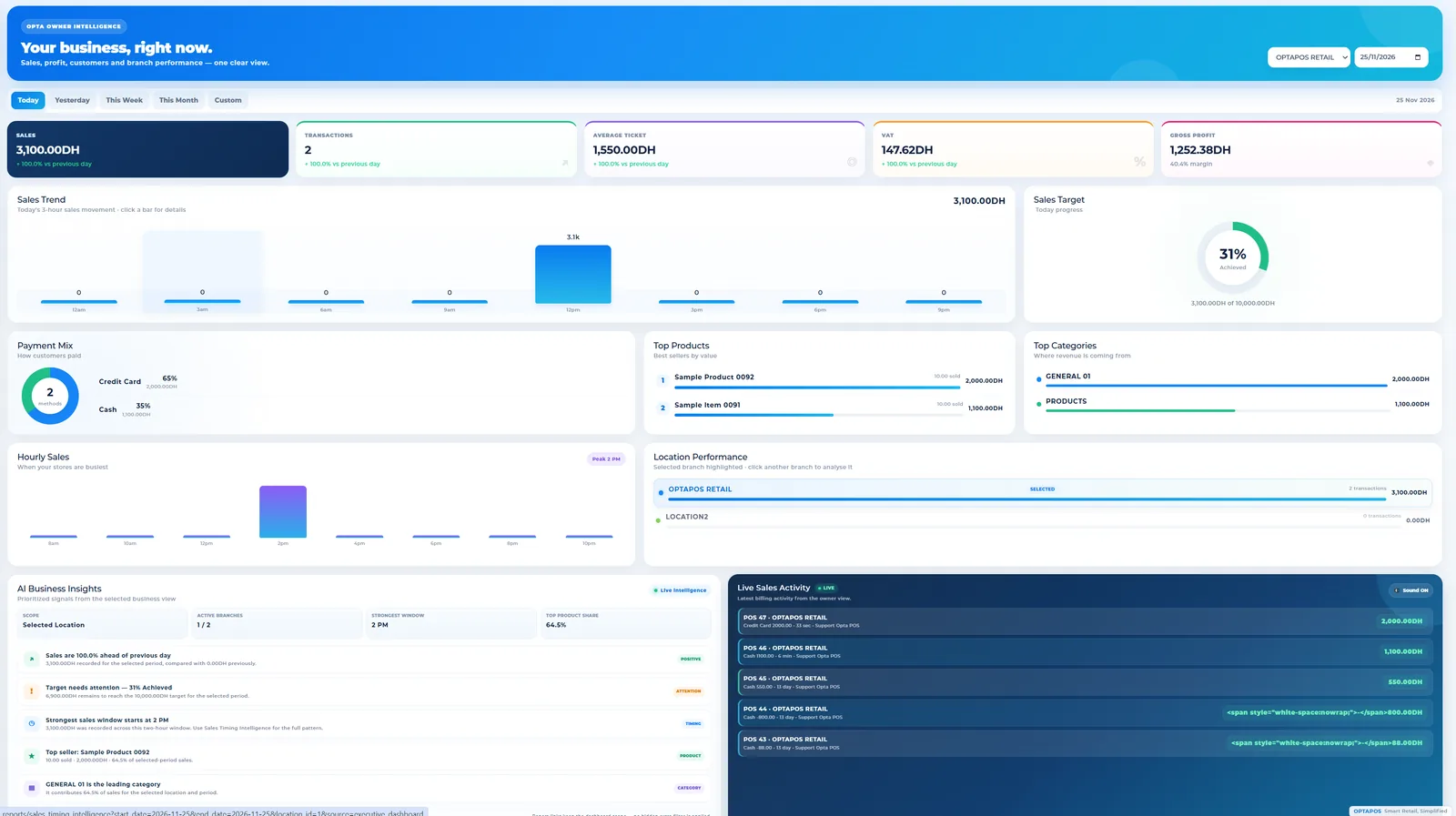
Good decisions come from clear numbers. OptaPOS provides standard sales, stock and tax reports, sales summaries, top and worst sellers, employee and branch performance, custom reports with filtering and export, a mobile dashboard for owners and AI-assisted reporting in Advanced to help you explore your data faster.
What you can do
Package labels show where each capability is included.
Sales, payment, tax and inventory reports Standard
Standard reports cover sales, payments, VAT, customers, purchases and stock, with Excel export.
Detailed sales-summary report Standard
Bring the key transaction information for a period together in one report.
Top-selling, worst-selling and dead-stock reports Standard
See which items drive sales and which tie up cash on the shelf.
Employee performance reports Standard
Compare sales by employee using salesperson attribution.
Custom report builder Standard
Authorised users can build their own report views, choose columns, filter and save favourites.
Column selection, filters and report favourites Standard
Turn report columns on or off, filter column by column and save regularly used reports as favourites.
40+ AI-assisted analytical reports Advanced
Analytical reports highlight trends and items that need attention, such as top sellers, slow movers and dead stock.
Dashboards on connected devices Standard
Authorised users can check sales and key figures from compatible phones, tablets and computers.
Location-wise and combined reports Multi-location
Report on one branch, selected branches or all of them together.
Inventory-by-location report Multi-location
Every product in one row, each location’s stock in its own column, and the combined total at the end.
From set-up to daily use
Monitor
Check the dashboard and alerts daily.
Analyse
Filter reports by date, category, branch or employee.
Act
Reorder, transfer, promote or clear stock.
Popular with these retailers
Pay for locations, not for logins.
Under each licensed physical location, OptaPOS does not cap the everyday things that grow with a healthy business. Add cashiers, serve more customers and sell from more devices without a new bill each time.
Subscription charges are based primarily on physical locations. Adding another store, branch, outlet or warehouse is licensed separately; adding a user or a device under an existing licensed location is not. Device use is subject to permissions and supported workflows. How pricing works
Common questions
What does AI-assisted reporting do?
It helps you explore and summarise your sales and stock data faster. Always review results before making decisions.
Can I export reports?
Yes, reports support filtering, sorting and export.
Can I see reports on my phone?
Yes, through the mobile dashboard and browser access.
Related features and guides
See OptaPOS running with your products.
Book a live demo and we will walk through checkout, stock and reports using your kind of store, then recommend Standard or Advanced and the hardware you actually need.