
Cloud POS Software for Fashion Stores in Al Ain
Fashion stores in Al Ain serve a large Emirati and family customer base, and many shoppers prefer to be served in Arabic. OptaPOS runs in Arabic or English, keeps sizes and colours as variants and can share stock with stores in Abu Dhabi city.
- Built for fashion stores
- English & Arabic
- VAT-ready billing workflows
- Unlimited users per location

At a glance: OptaPOS for fashion stores in Al Ain
For a fashion store in Al Ain, OptaPOS covers billing, size and colour stock, label printing, exchanges, branch stock and sales reports, in English and Arabic. Each physical store is licensed; staff, customers, transactions and compatible devices inside it are unlimited. Setup is done online, with on-site visits scheduled according to the agreed scope.
- Business type: Fashion Store · Fashion Store POS in the UAE
- Location: Al Ain, Emirate of Abu Dhabi, UAE · POS software in Al Ain
- Packages: Standard covers the core; Scheduled promotional prices and Loyalty points and redemption on this page need Advanced.
- Users and devices: Unlimited users, customers and transactions per licensed location, on compatible desktops, POS terminals, tablets and phones.
- Languages and billing: English and Arabic screens, bilingual receipts where supported, VAT-ready billing workflows.
- Pricing: By tailored quote, based mainly on the number of physical locations. Request a tailored quote
- Support: Sales and support 24x7 by phone, WhatsApp and email.
Where fashion stores lose time and sales
Nobody knows who sold what
Commission and targets are tracked on paper, so the best salespeople are not recognised and disputes follow.
Gifts come back without a receipt
Families buy presents, and the person returning the item has no proof of where or when it was bought.
Size runs break without anyone noticing
A style sells out in M and L while XS and XXL stay on the rail, and nobody sees it until a customer asks.
Exchanges hold up the queue
After Eid or a sale weekend, size swaps arrive all at once. Without the original bill on screen, each one becomes a discussion.
New arrivals wait in boxes
A delivery of fifty styles in several sizes needs prices and barcodes before it reaches the floor, and that work falls behind.
How a fashion store runs on OptaPOS
- 1
Set up each style once
Create the style with its sizes and colours as variants. Each variant gets its own barcode and stock, and tags group it by season or collection.
- 2
Receive and label in one go
Receive the delivery, then print price and barcode labels for every size and quantity in a single job.
- 3
Sell, and find the missing size
Staff scan at the till. If a size is missing, they check permitted branches from the sales screen and arrange a transfer.
- 4
Exchange against the original bill
Look up the sale, swap the size and keep stock correct. Gift receipts carry the reference without showing prices.
- 5
Mark down on time
Use reports by size and style to see what is slowing down, and in Advanced schedule markdown prices to start and end on set dates.
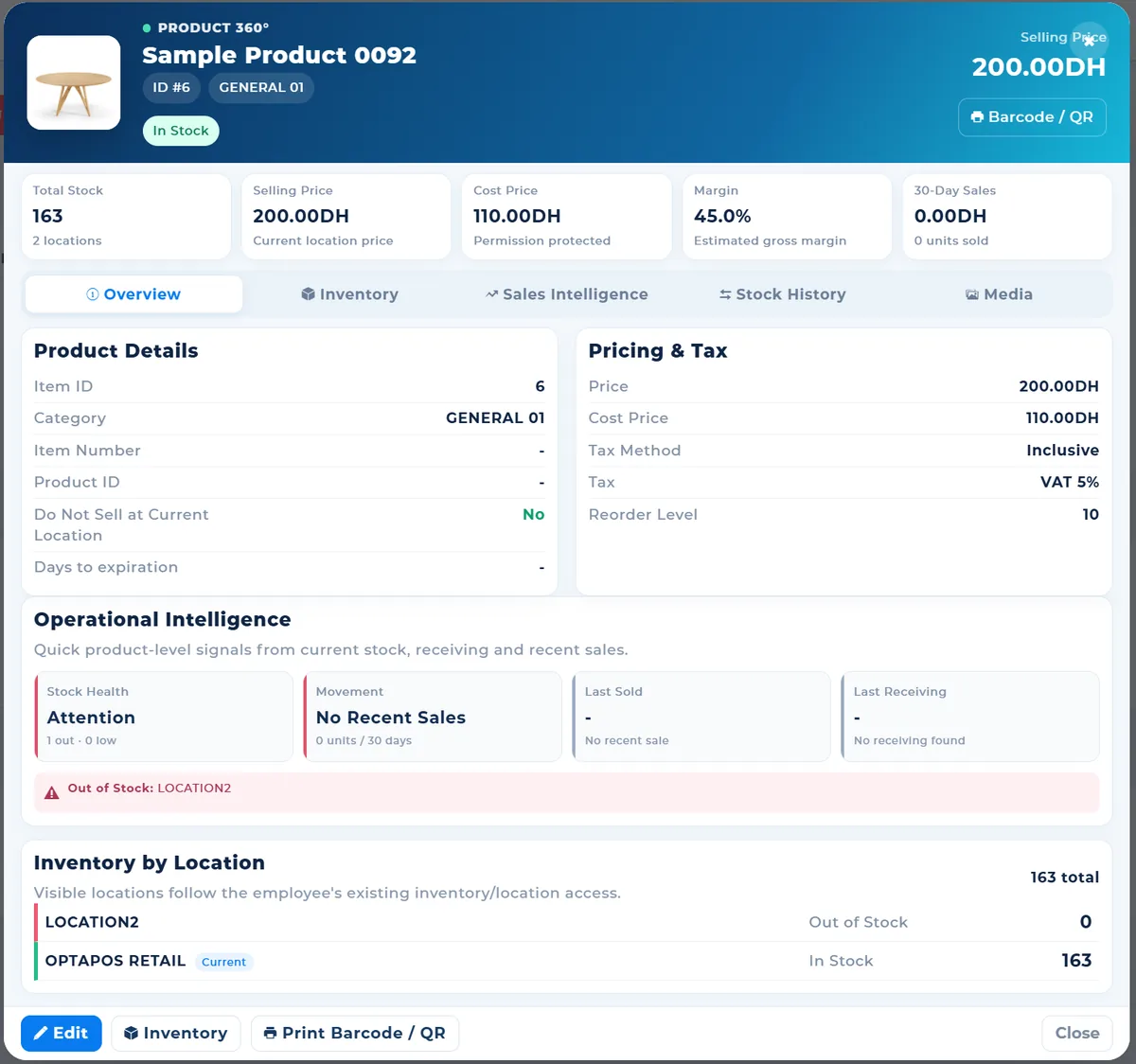
OptaPOS features for fashion stores in Al Ain
Only the features that matter for this business are shown. Each one is labelled with its package or option.
Size, colour and style variants Standard
One style, every size and colour, each with its own barcode and stock count, so you can see that M is gone while XL is still waiting.
Barcode and label printing Standard
Print price and barcode labels for a whole delivery, with different sizes and quantities in one job.
Product tags and collections Standard
Tag styles by season, collection or occasion such as Eid or back to school, then filter stock and reports by tag.
Check other-branch stock from the sales screen Standard
When a size is not on the rail, staff with permission see which branch has it without leaving the sales screen.
Stock transfers between locations Multi-location
Move sizes between branches with a recorded transfer, so stock is right at both ends. Applies once you have more than one licensed location.
Returns, exchanges and sales history Standard
Exchanges and returns are processed against the original sale, so staff see what was paid and stock updates straight away.
Gift receipts without prices Standard
Print a receipt without prices for presents. It keeps the barcode and reference, so an exchange is traced to the original sale.
Bill-wise and item-wise salesperson attribution Standard
Credit each sale, or each line, to the salesperson who made it, so commission and targets come from the system.
Scheduled promotional prices Advanced
In Advanced, schedule markdown prices for a style or tag to start and end on set dates.
Loyalty points and redemption Advanced
In Advanced, regular customers earn points on purchases and redeem them later.
Running a Fashion Store in Al Ain
Family shopping in Al Ain peaks before Eid, National Day and the school year, often with several children kitted out in one visit. Variant reports show which sizes are thin before those weeks, and Arabic product names and bilingual receipts make the counter comfortable for every customer.
Retailers with stores in both Al Ain and Abu Dhabi city can check stock across them and transfer sizes with a record at both ends. Promotional prices and loyalty points are available in Advanced.
Al Ain is a city in the Emirate of Abu Dhabi with its own retail market.
Two weeks before Eid, the Al Ain manager runs a report of children’s sizes tagged "Eid" and sees sizes 6 and 8 are thin. The Abu Dhabi city branch has more, so a transfer is recorded and the stock arrives before the rush. On the busiest evening the cashier works on Arabic screens, and families leave with bilingual receipts where the printer supports it.
An example workflow, not a customer case study.
Standard or Advanced for a Fashion Store?
Standard includes Size, colour and style variants, Barcode and label printing, Product tags and collections and Check other-branch stock from the sales screen and the rest of the core retail toolkit. Of the features on this page, Scheduled promotional prices and Loyalty points and redemption are in Advanced, which includes every OptaPOS feature.
- Each additional physical location, in Al Ain or another emirate, is licensed separately.
- Users, customers, transactions and compatible devices are unlimited under each licensed location.
- Mall tenants: mall sales capture for supported malls is a separately priced add-on.
Recommended hardware for a Fashion Store
- Touch POS terminal — An all-in-one touchscreen counter terminal for fast, button-driven billing. Ideal for busy counters and grid-button selling.
- Barcode scanner — Wired, wireless or hands-free 1D/2D scanners for fast checkout, receiving and stock counts.
- Barcode label printer — Print price tags, barcode labels and shelf labels in bulk from OptaPOS.
- 80mm thermal receipt printer — Fast, quiet receipt printing with bilingual layouts where supported. Can trigger the cash drawer.
- Cash drawer — A secure drawer that opens automatically on cash sales through the receipt printer.
Keep compatible devices you already own. We confirm compatibility in the demo and quote by model and quantity. POS hardware
One system for every Fashion Store branch
Owners can check sales and stock from a phone, wherever they are. When you open a second branch, in Al Ain or in Abu Dhabi and Dubai, every licensed location runs on the same system.
- Central warehouse, branch transfers and stock by location
- Branch prices, receipt and tax settings, and reorder levels per location
- Employee permissions by location and shared customer profiles
- Location reports and combined reports for the whole business
Getting a Fashion Store in Al Ain live
- 1
Understand your store
We look at your ranges, sizes, branches and how exchanges work today, then recommend a package. Advanced includes every feature; Standard is the lower-cost core.
- 2
Confirm hardware
Scanners, label and receipt printers and cash drawers. We check what you already own and quote only what is missing.
- 3
Configure
Size and colour sets, tags, receipts, payment types, staff roles and discount limits.
- 4
Import your styles
Styles, variants, customers and opening stock from Excel, where included in the agreed scope.
- 5
Train the team
Sales staff learn selling, exchanges and stock lookup; managers learn receiving, labels and reports, in English or Arabic.
- 6
Go live
Start selling with support from our team as quoted, then continue with your agreed support arrangement.
OptaPOS supports retail businesses across Al Ain with online and scheduled on-site implementation options based on the approved project scope. Sales and support are available 24x7.
Unlimited usage for your fashion stores
Under each licensed physical location, OptaPOS does not cap the everyday things that grow with a healthy business. Add cashiers, serve more customers and sell from more devices without a new bill each time.
Subscription charges are based primarily on physical locations. Adding another store, branch, outlet or warehouse is licensed separately; adding a user or a device under an existing licensed location is not. Device use is subject to permissions and supported workflows. How pricing works
Fashion Stores in Al Ain: questions
Can my Al Ain staff use OptaPOS fully in Arabic?
Yes. Screens are available in Arabic, product names can be in Arabic, and receipts can be bilingual where supported.
Can I link my Al Ain and Abu Dhabi stores?
Yes. Each store is a licensed location sharing products, customers and reports.
How do I prepare for Eid?
Review last Eid’s sales by size and colour, reorder early and print labels for new stock in one job.
Can I import my current stock list?
Yes, from Excel or CSV if your current system can export it. We confirm what is included in the setup scope.
Can one style have many sizes and colours?
Yes. Each size and colour is a variant with its own barcode and stock, under one product.
How are exchanges handled?
Against the original sale. Staff look up the bill, swap the item and stock updates automatically.
Which OptaPOS package suits a Fashion Store in Al Ain?
Standard covers Size, colour and style variants, Barcode and label printing, Product tags and collections and Check other-branch stock from the sales screen. Choose Advanced if you need Scheduled promotional prices and Loyalty points and redemption. Each physical location is licensed, and we confirm the right package in a written quote.
What hardware does a Fashion Store in Al Ain need?
A typical set-up is touch pos terminal, barcode scanner, barcode label printer, 80mm thermal receipt printer and cash drawer. We check what you already own during the demo and quote only what is missing.
Can I run fashion stores in Al Ain and other emirates on one system?
Yes. Branches in Al Ain, Abu Dhabi and Dubai or anywhere in the UAE can share products, customers and reports, with stock and prices controlled per location. Each physical location is licensed.
Do you offer on-site set-up in Al Ain?
OptaPOS supports retail businesses across Al Ain with online and scheduled on-site implementation options based on the approved project scope. Sales and support are available 24x7.
More for fashion stores and Al Ain retailers
Other retail businesses in Al Ain
Features, hardware and pricing
See OptaPOS set up for your Fashion Store in Al Ain.
Book a live demo with products like yours, or request a written quote for your locations.