
POS Software for Baby Stores in the UAE
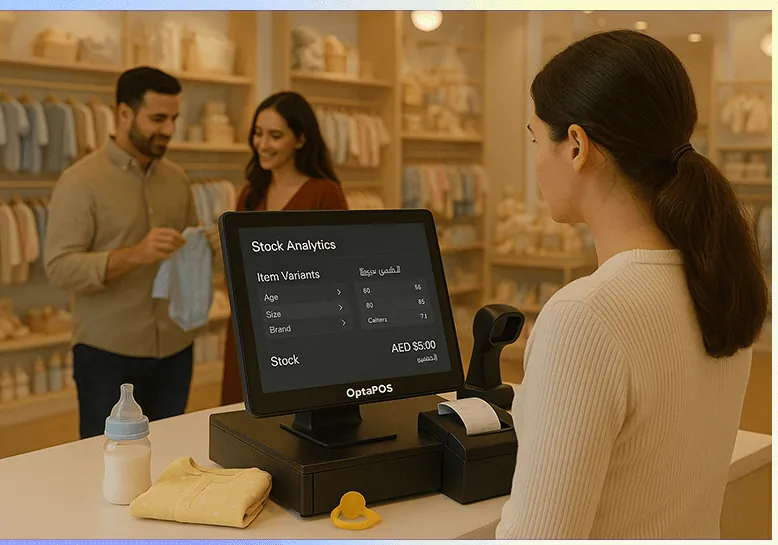
Baby stores mix clothing, gear and consumables, and new parents return every week. OptaPOS handles size variants, expiry on essentials, pack sizes and gift registries’ worth of gift receipts in one connected system.
- English & Arabic
- VAT-ready billing workflows
- Unlimited users per location
What slows down baby stores
Every retail category has its own pressure points. These are the ones we hear most often from baby stores in the UAE, and how OptaPOS helps.
Mixed categories
Clothing, strollers, feeding items and nappies all behave differently in stock.
Expiry on consumables
Baby food, formula and toiletries need expiry control.
Newborn gifts
Many purchases are gifts that come back for exchange.
Packs and singles
Nappies and wipes sell in packs and cartons with different barcodes.
OptaPOS features for baby stores
Each feature below is labelled with the package or option it belongs to, so you know exactly what is included before you ask for a quote.
Size, colour and style variants Standard
Each size and colour has its own stock, so you know exactly which sizes to reorder.
Batch and expiry tracking Standard
Record batch numbers and expiry dates when receiving stock and review items approaching expiry.
Multi-unit items (piece, box, carton) Standard
Give each pack size its own item number or barcode so a carton and a single piece sell correctly from the same stock.
Gift receipts without prices Standard
Gift buyers get a price-free receipt that still allows a quick exchange.
Loyalty points and redemption Advanced
Points give regular shoppers a reason to come back for the next collection.
Unlimited nested categories Standard
Organise products into categories with unlimited levels of subcategories that match how your store is laid out.
Reorder levels and low-stock alerts Standard
Set minimum stock levels per location and get low-stock popup alerts before shelves run empty.
Customer profiles and purchase history Standard
Staff can see what a customer bought before and which sizes they usually take.
Badges: Standard = included in both packages; Advanced = Advanced package; Configurable = available where configured; Multi-location = needs more than one licensed location; Paid add-on = priced separately. Compare packages
How a Baby Store runs on OptaPOS
- 1
Set up styles once
Create a style with its sizes, colours and images; every variation gets its own barcode and stock.
- 2
Receive and label
Receive supplier deliveries, then print hanging-tag or shelf labels for every size in one job.
- 3
Sell and exchange
Scan at the till, credit the stylist who helped, and handle size exchanges against the original bill.
- 4
Balance stock across stores
See which branch has the missing size and transfer it instead of losing the sale.
- 5
Review the season
Compare sell-through by collection tag, spot slow lines early and plan markdowns.
Inventory for baby stores
Fashion stock lives at variant level. OptaPOS keeps each size and colour as its own stock line under one style, so receiving, counting and transfers stay accurate. Seasonal tags group new arrivals and end-of-season lines, damage entries record faulty pieces with a reason, and location-wise reorder levels flag core sizes before they sell out.
Customers and repeat sales
Repeat customers matter in fashion. Customer profiles keep purchase history so staff can recommend the right fit, loyalty points reward returning shoppers, gift receipts make exchanges easy, and scheduled promotional prices run sales on time across selected branches.
A baby store in Dubai Marina receives formula and baby food with batch and expiry captured at receiving, while newborn outfits are set up as size variants. Nappies are sold by pack or carton with separate barcodes. When a visitor buys a newborn gift set, a gift receipt goes in the bag, and the parents’ loyalty profile records their weekly essentials purchases.
This is an example workflow to show how the features fit together, not a customer case study.
Recommended hardware for a Baby Store
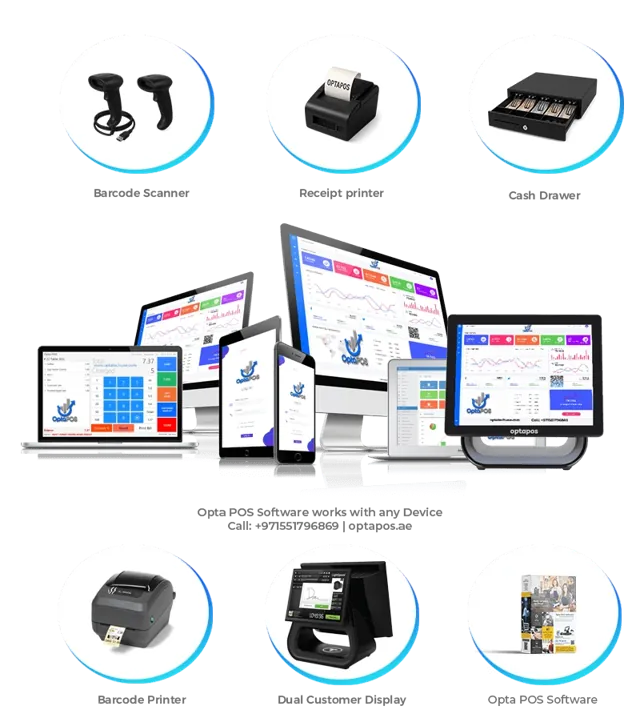
A typical counter set-up is below. Keep compatible devices you already own; we confirm compatibility during the demo and quote only what you need. No prices are listed because models and quantities vary.
- Touch POS terminal — An all-in-one touchscreen counter terminal for fast, button-driven billing. Ideal for busy counters and grid-button selling.
- Barcode scanner — Wired, wireless or hands-free 1D/2D scanners for fast checkout, receiving and stock counts.
- Barcode label printer — Print price tags, barcode labels and shelf labels in bulk from OptaPOS.
- 80mm thermal receipt printer — Fast, quiet receipt printing with bilingual layouts where supported. Can trigger the cash drawer.
- Cash drawer — A secure drawer that opens automatically on cash sales through the receipt printer.
POS checklist for baby stores
- True size/colour variants with separate stock and barcodes
- Bulk label printing for new arrivals
- Exchanges and gift receipts without price
- Branch stock lookup from the sales screen
- Salesperson attribution for commission discussions
- Seasonal tags, scheduled offers and markdown control
Standard or Advanced?
Standard already covers inventory, variants, purchasing, staff controls and reports for baby stores. Choose Advanced if you also want promotions and coupons, advanced loyalty, gift cards or 40+ AI-assisted reports. Both include unlimited users, customers and transactions per licensed location.
Unlimited usage for your baby stores
Under each licensed physical location, OptaPOS does not cap the everyday things that grow with a healthy business. Add cashiers, serve more customers and sell from more devices without a new bill each time.
Subscription charges are based primarily on physical locations. Adding another store, branch, outlet or warehouse is licensed separately; adding a user or a device under an existing licensed location is not. Device use is subject to permissions and supported workflows. How pricing works
Questions from baby stores
Can we track expiry on baby food and formula?
Yes. Batch and expiry tracking captures dates during purchasing and receiving and supports expiry-related reports.
Can nappies be sold by pack and carton?
Yes. Multi-unit items give each pack size its own barcode while keeping stock as one item.
Is there a baby gift registry?
OptaPOS does not include a dedicated gift-registry module. Gift receipts, customer profiles and quotations can support similar workflows, which we can review in a demo.
Can OptaPOS handle sizes and colours for baby stores?
Yes. A style can have size, colour and other variants, each with its own stock, barcode and variation ID, so receiving, selling and counting happen at the exact variant level.
How are exchanges handled?
Returns and exchanges are processed against the original sale from transaction history, so stock and sales figures stay correct. Gift receipts carry a barcode and reference number for quick lookup.
Can I print barcode tags for new arrivals?
Yes. Barcode and label printing is included, and OptaPOS also lets you print many different barcodes with different quantities in one job, which suits a delivery of mixed sizes.
How is OptaPOS priced?
Subscription charges are based primarily on the number of licensed physical locations, such as stores, branches, outlets or warehouses. Under each licensed location, normal users, customers and sales transactions are unlimited, and the system can be used from compatible devices. Prices are shared in a tailored quote.
Do I need to buy new hardware?
Not always. OptaPOS runs in a web browser on compatible desktops, laptops, POS terminals, tablets and smartphones. Our team checks your existing scanners, printers and cash drawers during the demo and recommends only what is missing.
Explore OptaPOS for Baby Stores Across the UAE
Where we have published a local guide for baby stores, the link opens it. Other locations open the area page, with how we support stores there.
Similar retail businesses
Useful features and guides
See OptaPOS set up for a Baby Store.
Book a live demo with products like yours. We will show checkout, stock and reports for baby stores and recommend the right package and hardware.